
reason
- they do not appear on noa excel list but are in noa drawer
- answers could be:
- TT just lodged it so the excel is not upto date (current, excel is older)
- green xero tax had marked them as error so you cannot see them on report/excel. therefore, manual check
procedure
- get your noa outstanding investigation pile (see previous procedure)
- Open hanging file look for
- staff Note. you may see a note saying "<staff> see green xero error, but lodged on TAP". this mean staff checked that tr lodged successfully, but staff didnt follow up
- Look for printed tax return. If none, print tax return
- Search on green xero tax tab and search tax return name one by one
- error status = check the date when it was lodged.
- if it was recent (less then 10 days) put back in noa drawer
- if > 10 days, check tap for NOA status manual check (see below)
- error status = check the date when it was lodged.
noa status manual check
- Go to TAP (Tax agent portal) > search name or TFN (tax file number)
- follow the image below: 1, 2, 3,
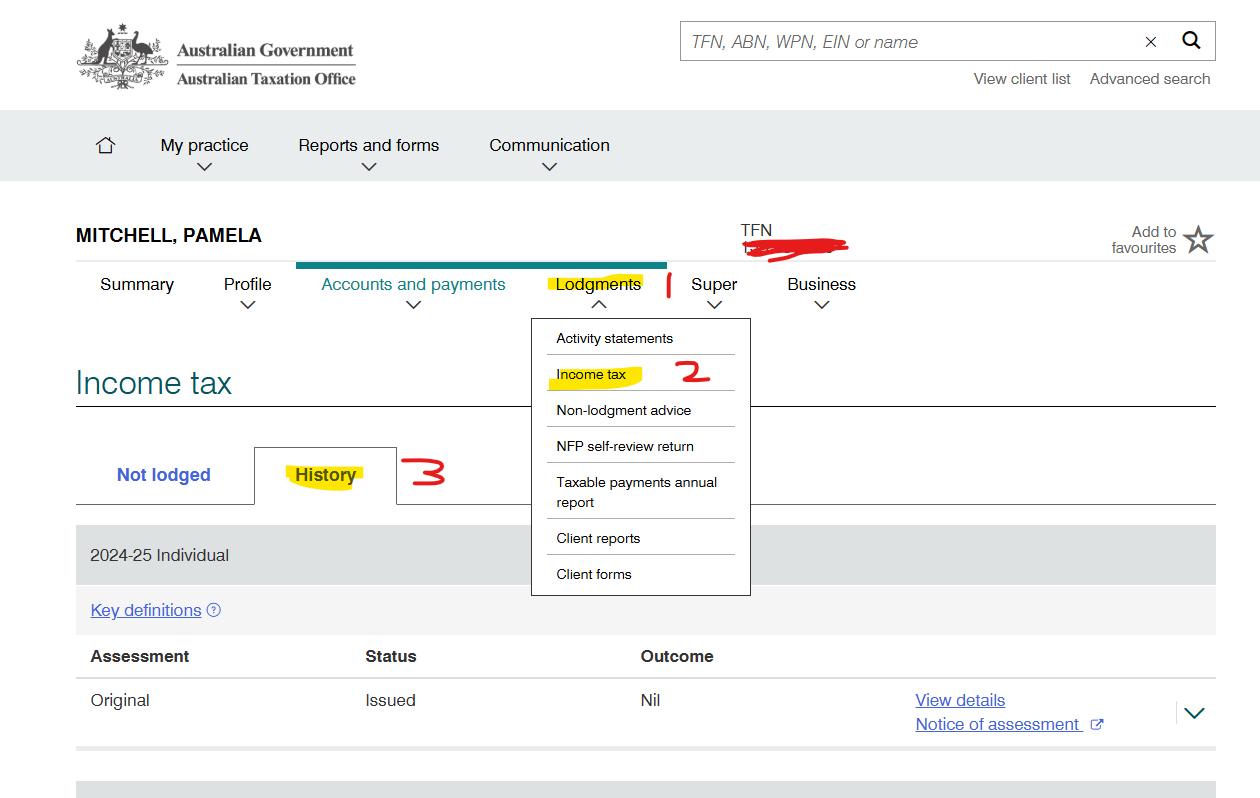
- Go to Printed Tax return > go to page 3 or 4 for refund page
- Compare the number on both page and computer screen are matching
- scenario
- If matching > make note on hanging file (Date, noaYear,refund received and your name) > to put away in client drawer

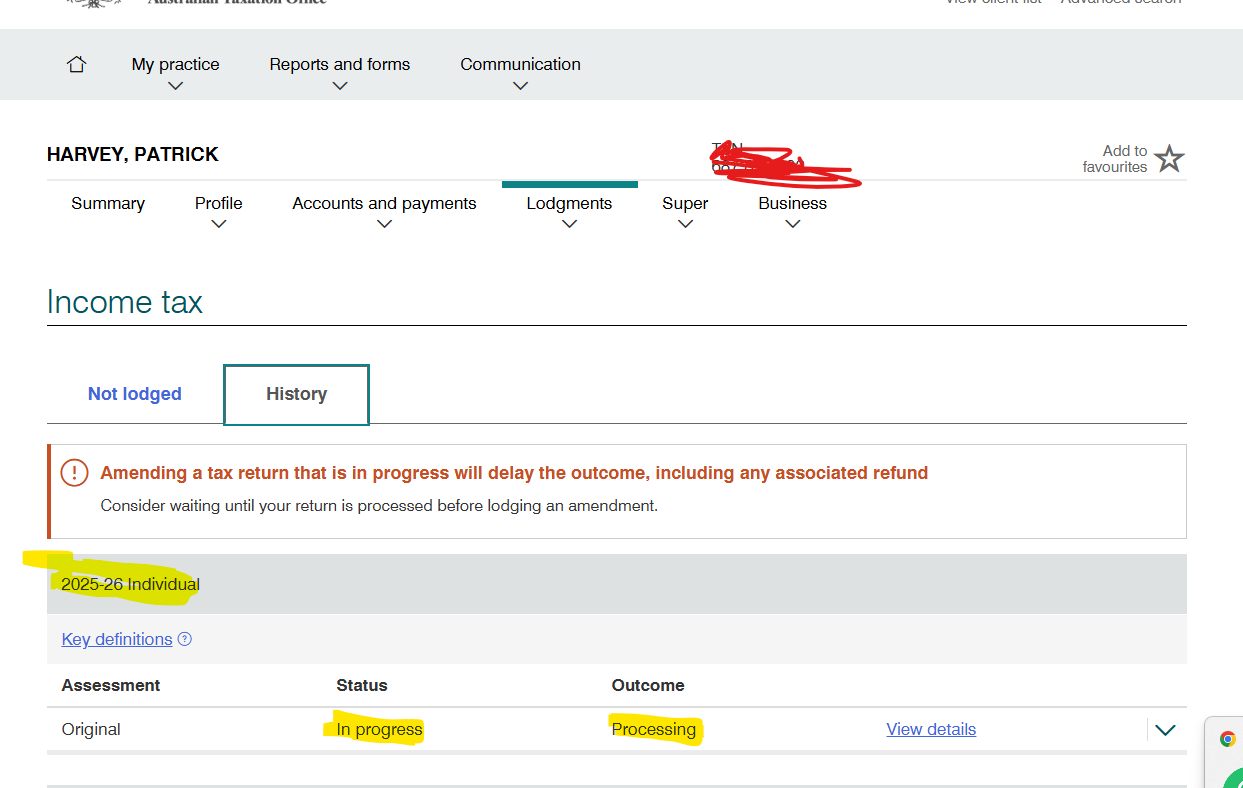
- TAP said PROCESSING =not ready. put back in NOA drawer and wait. we will check again later.
- If matching > make note on hanging file (Date, noaYear,refund received and your name) > to put away in client drawer