
TABLE OF CONTENTS
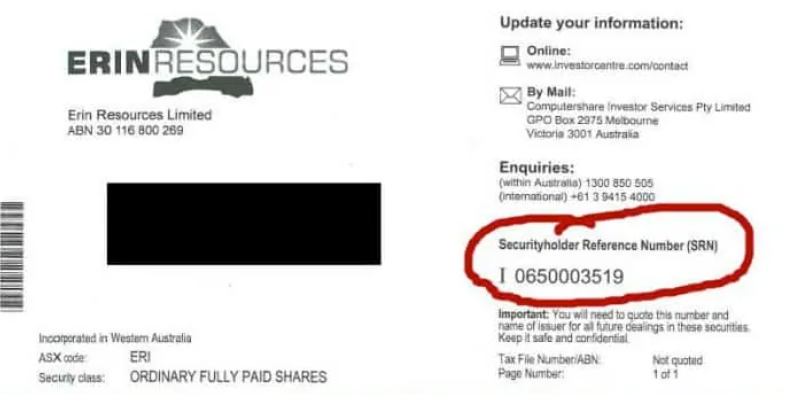
SRN
These are shares you received directly from the company (probably received as an employee bonus when you worked for them e.g. BHP)
Try look through your mail to locate it.
Otherwise, you will have to call up the share registry to locate it.
SRN starts with the letter I as shown below
HIN
These are shares you bought from a trading platform.
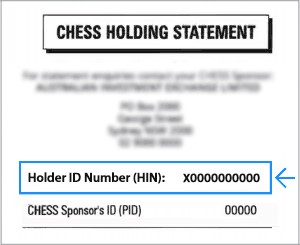
A HIN starts with the letter X
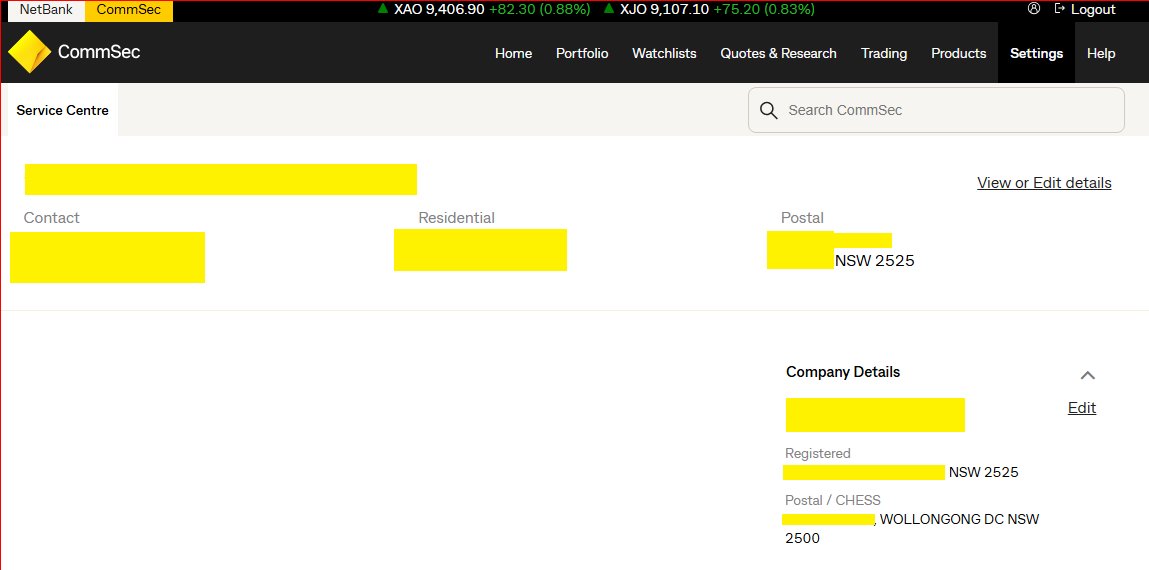
Commsec
its on your commsec EOFY report.
Please provide us the postcode as per your shares.
Nabtrade
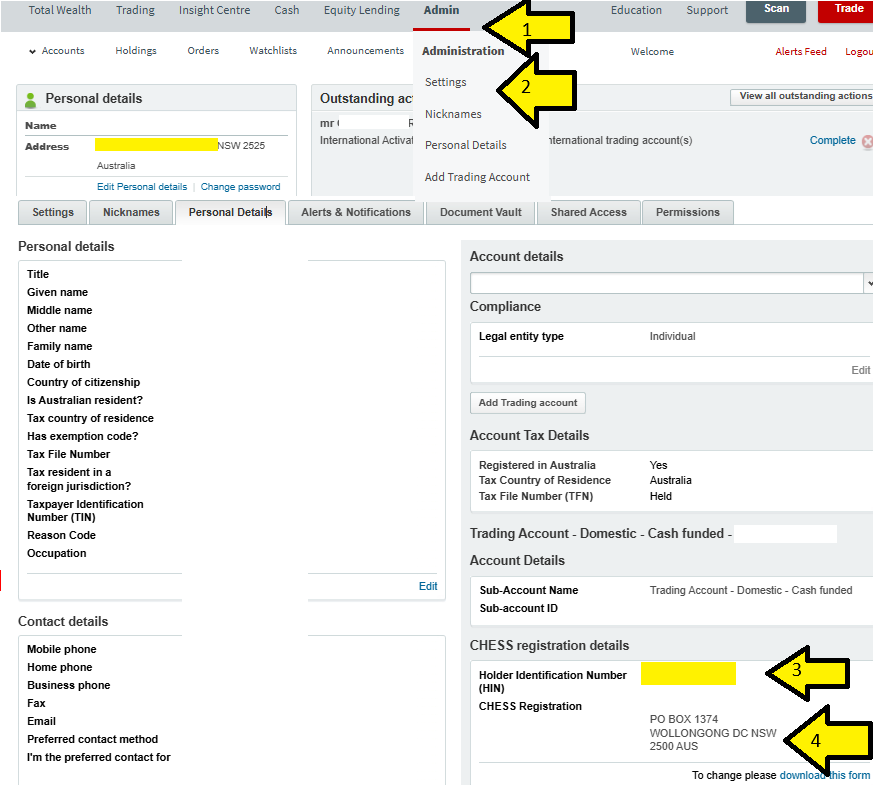
Go to TRADING > HOLDINGS > and screenshot the page below or print this screen
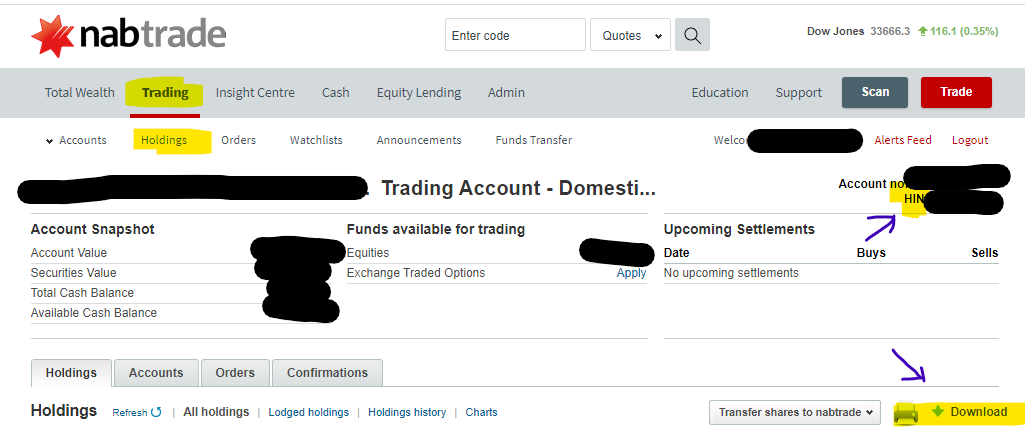
As for your postcode go to ADMIN > SETTINGS > PERSONAL DETAILS
Westpac trading
its on your Westpac EOFY report
Anztrading/CMC
go to ACCOUNT > ACCOUNT INFORMATION > select your account > SHOW HIN > enter your pin
Selfwealth
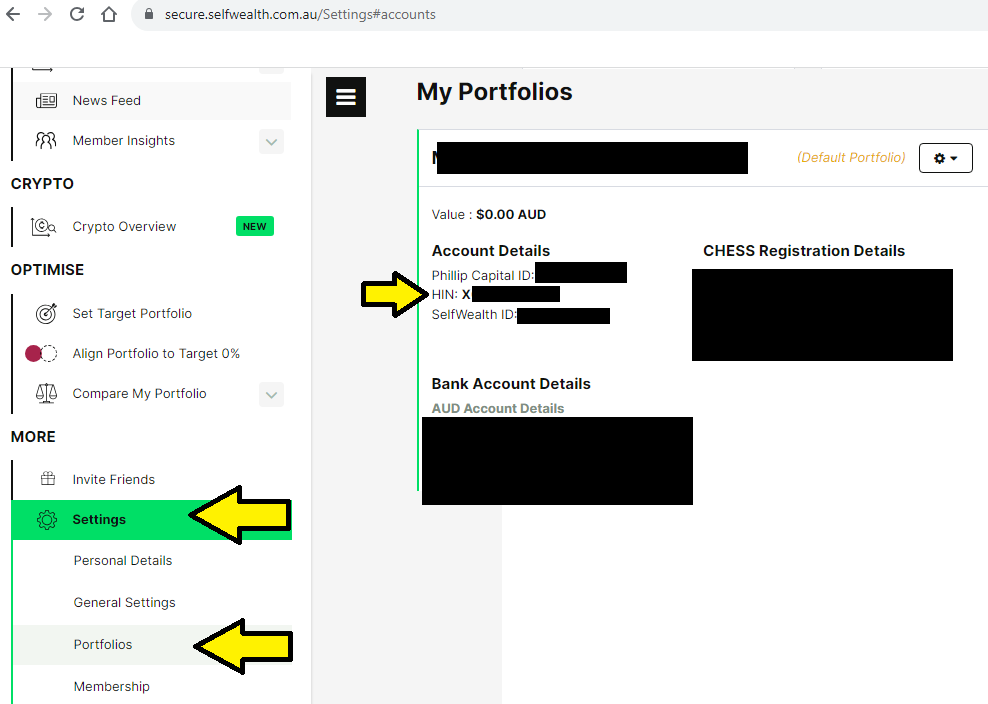
Go to SETTINGS > PORTFOLIOS > scroll down and you will see the HIN
Stake
on computer:
- log into stake
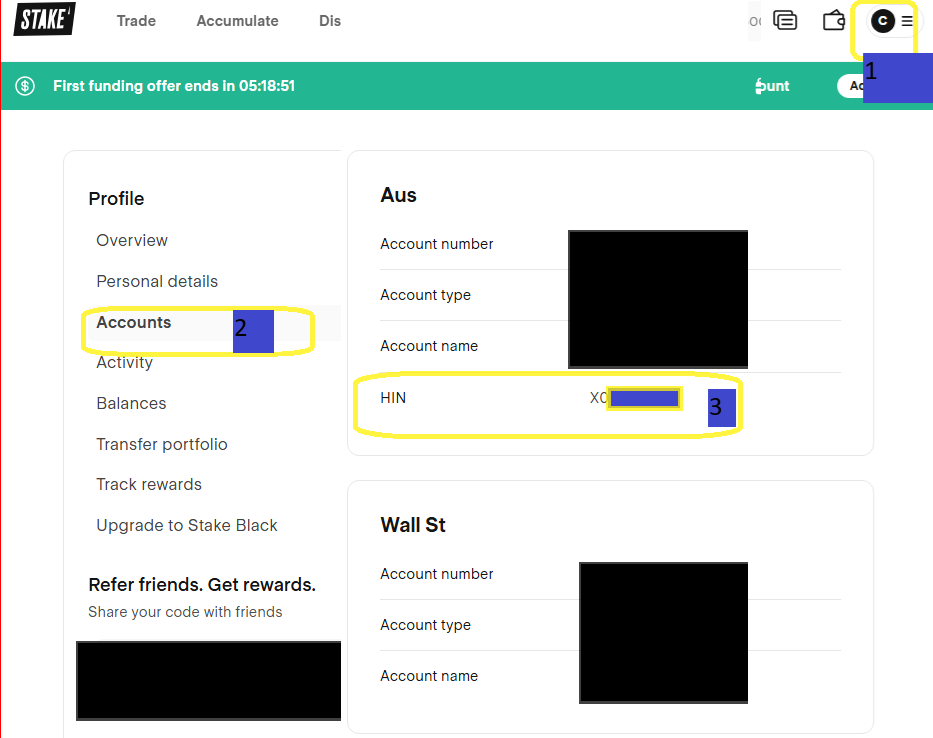
- go here https://trading.hellostake.com/platform/profile/home/accounts and see number 1,2, 3 in the image below:
- address can be found here:
https://trading.hellostake.com/platform/profile/home/details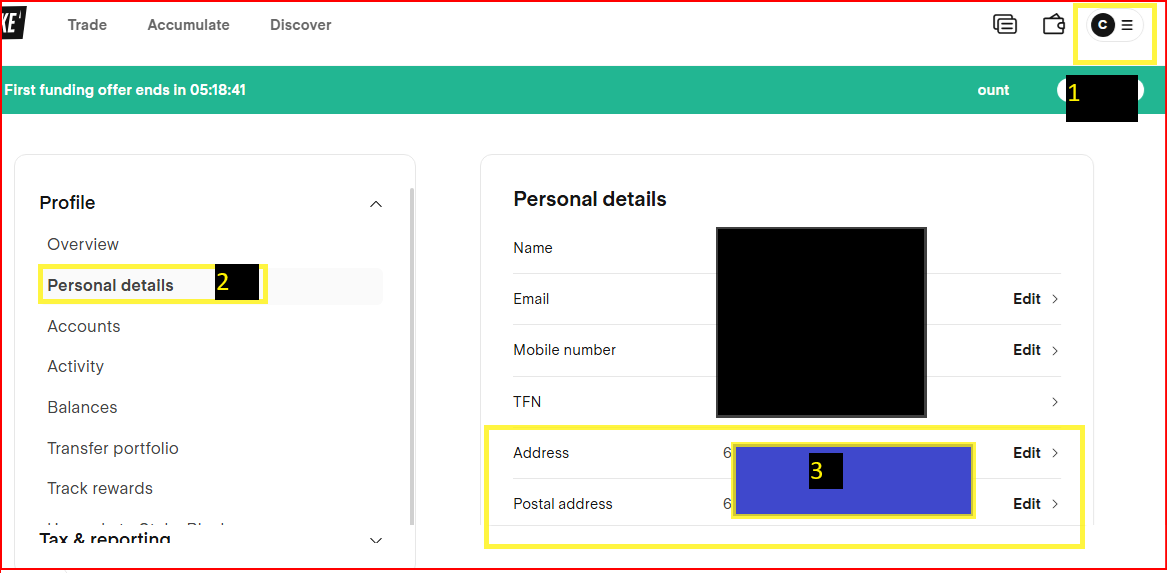
in app
https://hellostake.com/au/support/account-management/settings/53345891661849
- Go to Manage
- Tap Profile
- Your HIN is under the Personal details tab