In summary
- Go to here https://go.xero.com/settings/users
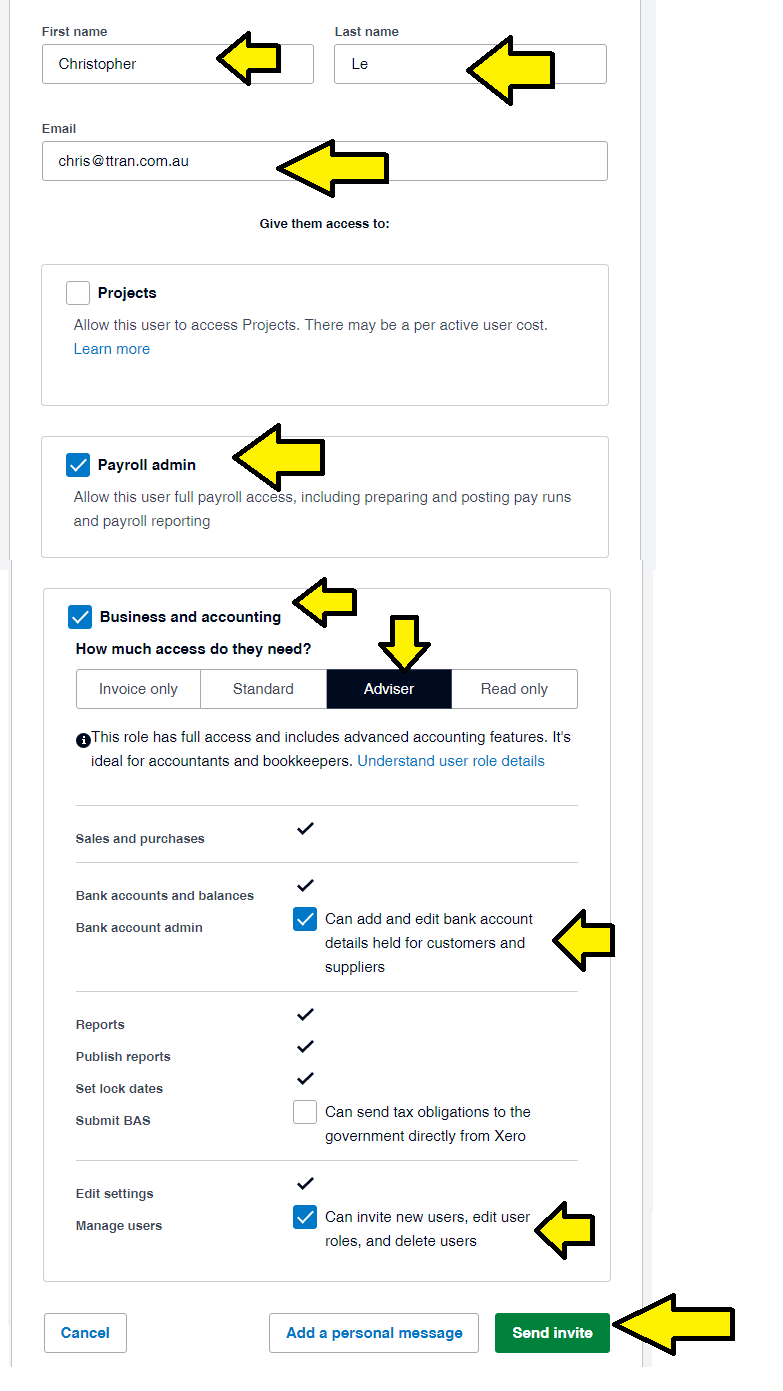
- invite chris@ttran.com.au, and teresa@ttran.com.au
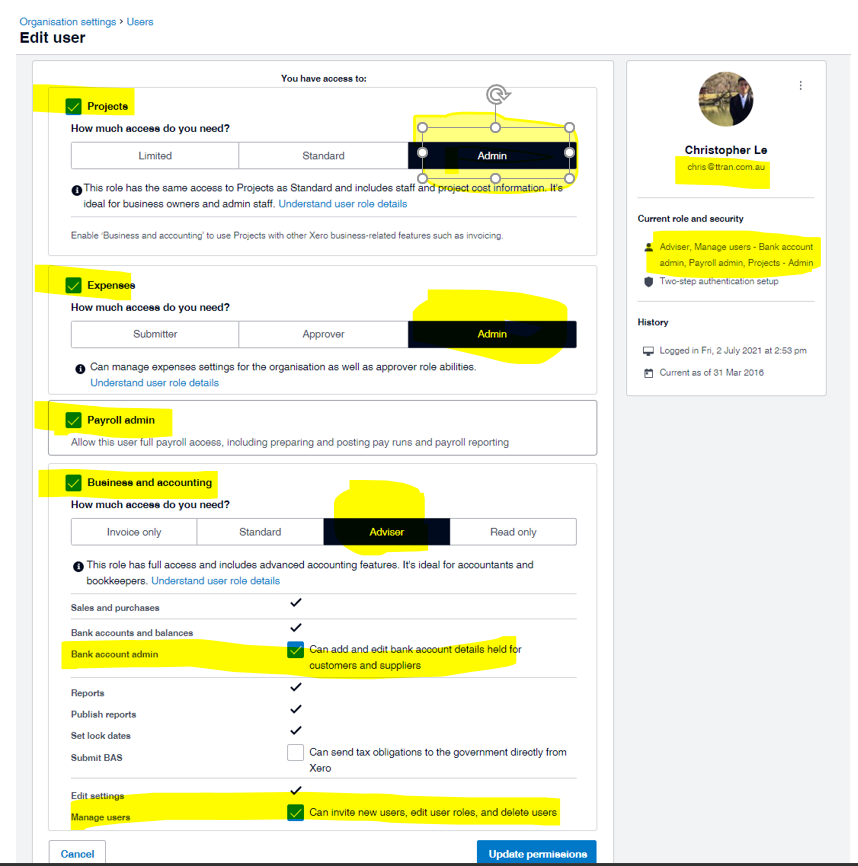
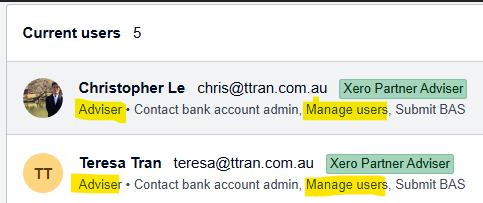
- and our permissions should look like this below. Notice it says
- ADVISER
- and MANAGE USERS
Full instructions
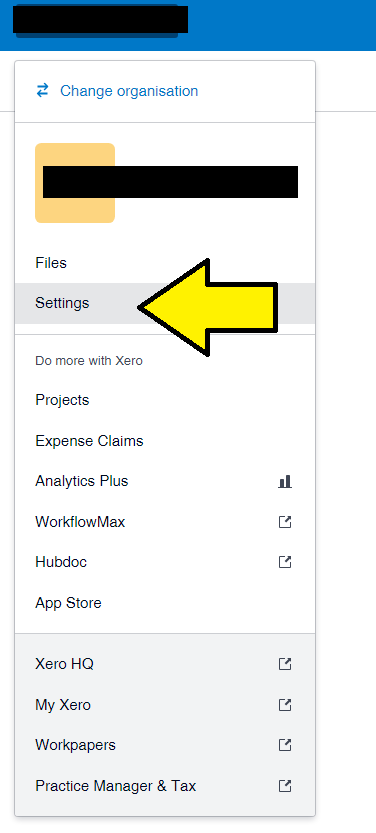
- Go to SETTINGS
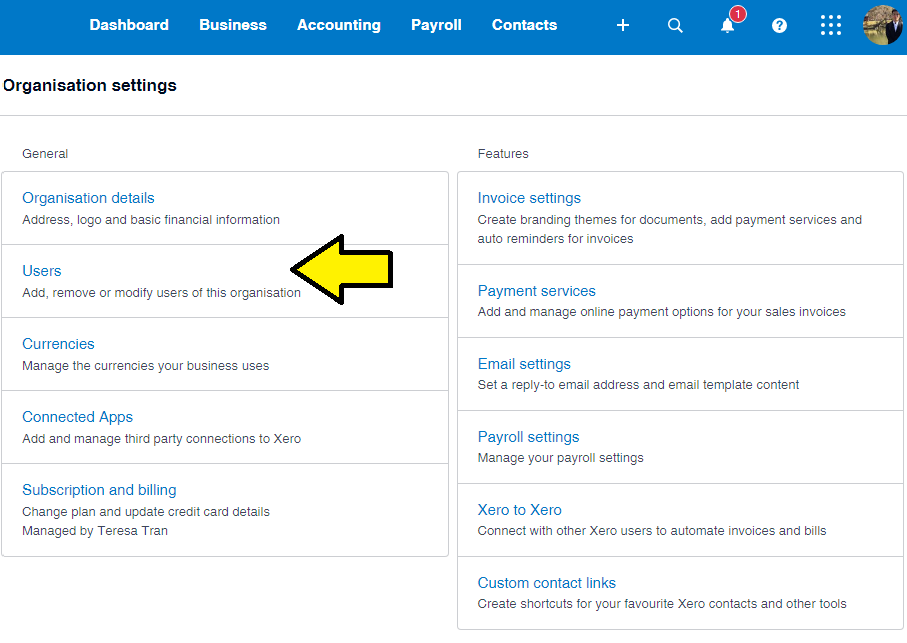
- Go to USERS
- select INVITE USERS
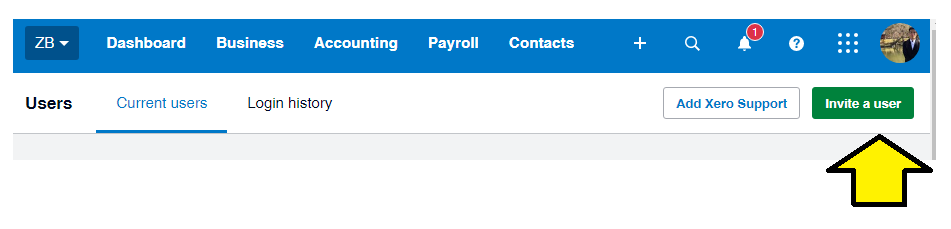
- Insert the following information as shown in the arrows:
https://central.xero.com/s/article/Add-a-new-user-to-your-organisation