
Remember to select the right period & the right account!
TABLE OF CONTENTS
- Commsec
- ANZ
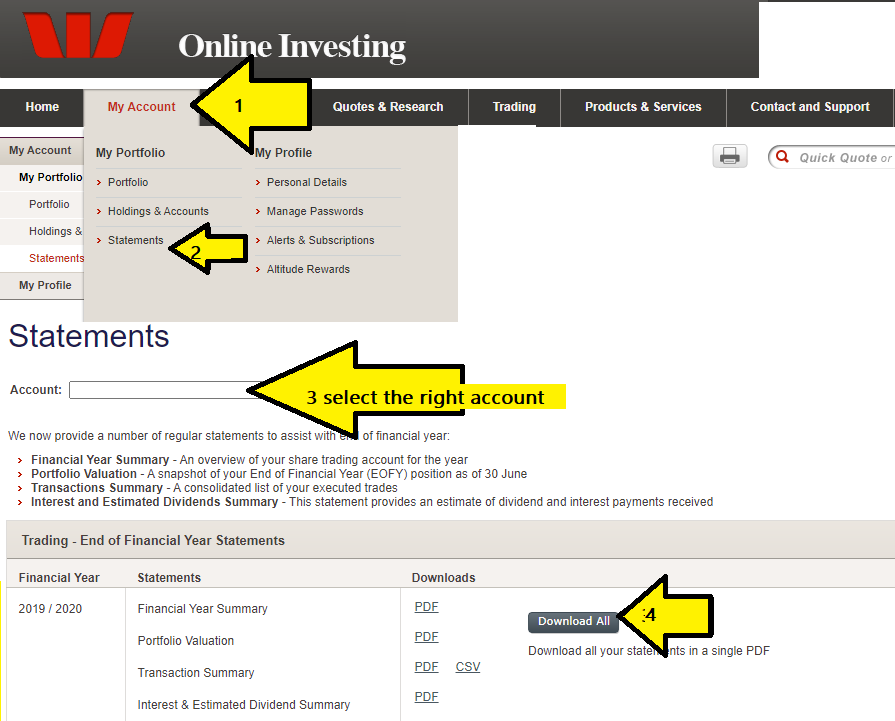
- Westpac trading
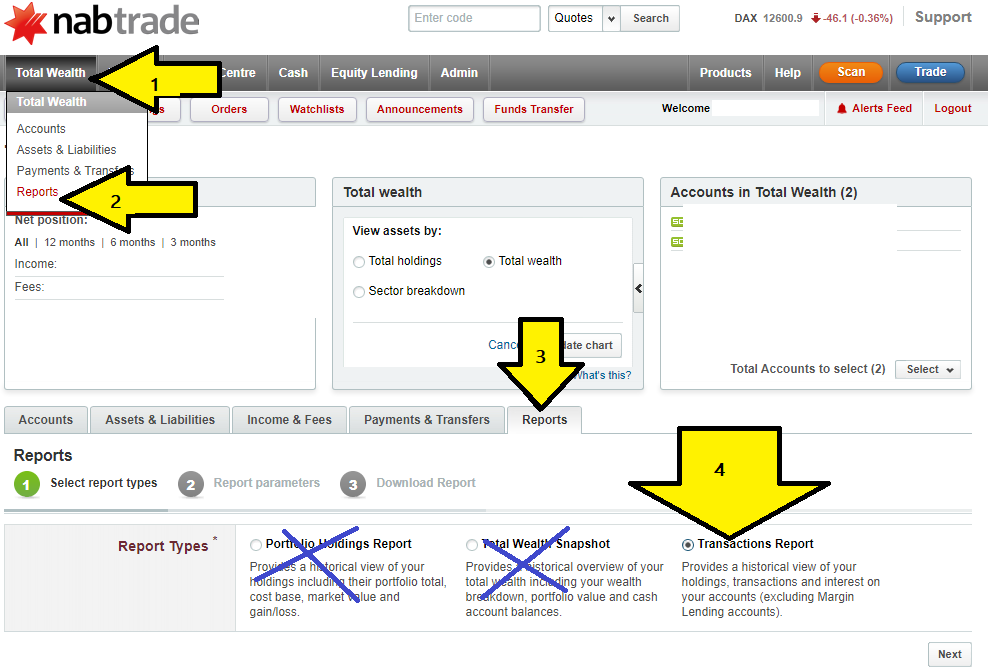
- NAB trading / NabTrade
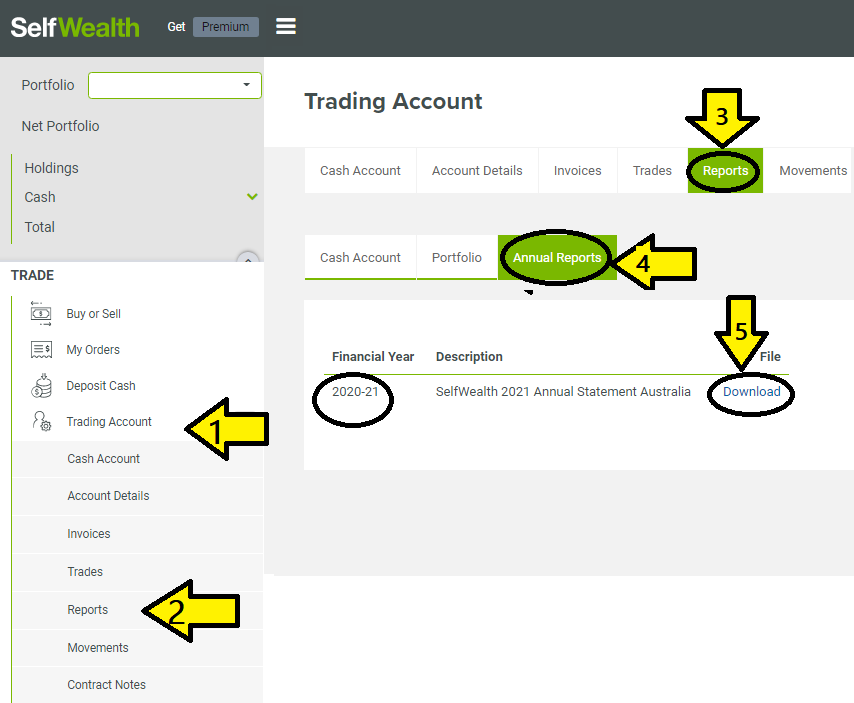
- SelfWealth / Self Wealth
- CMC
- Macquarie
- St George
- Moomoo
- Stake
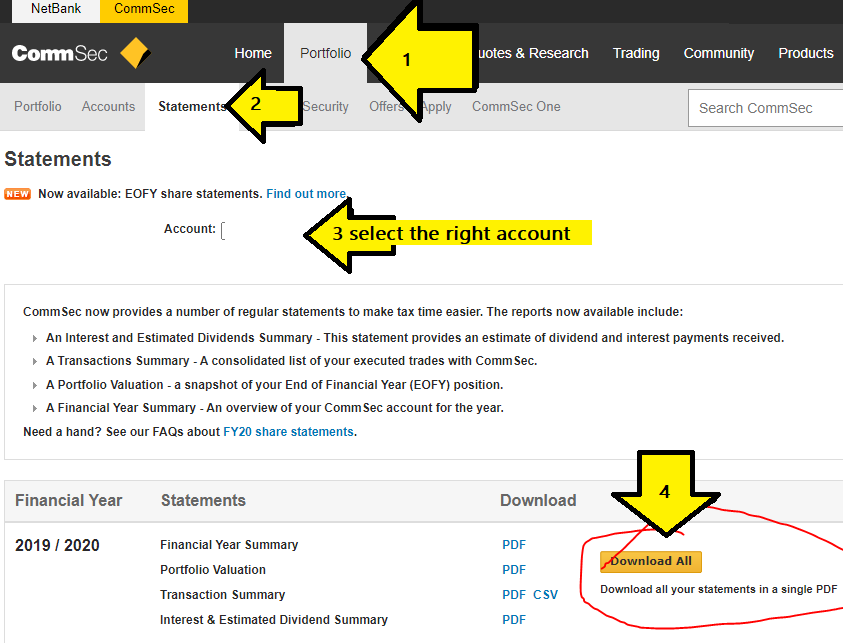
Commsec
ANZ
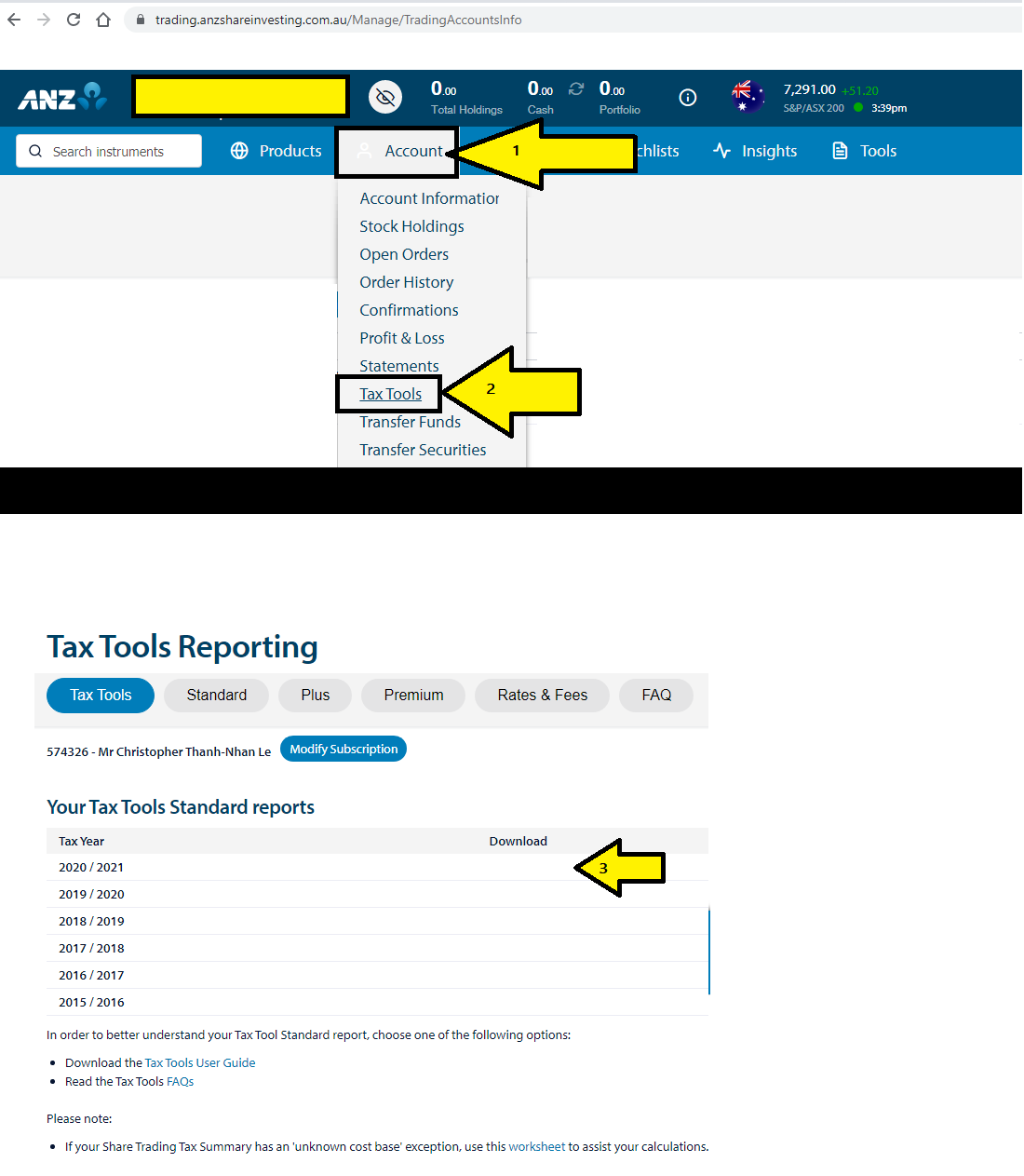
ANZ separates their reports into two components which requires you to generate both
ANZ trading, holding, & market value report
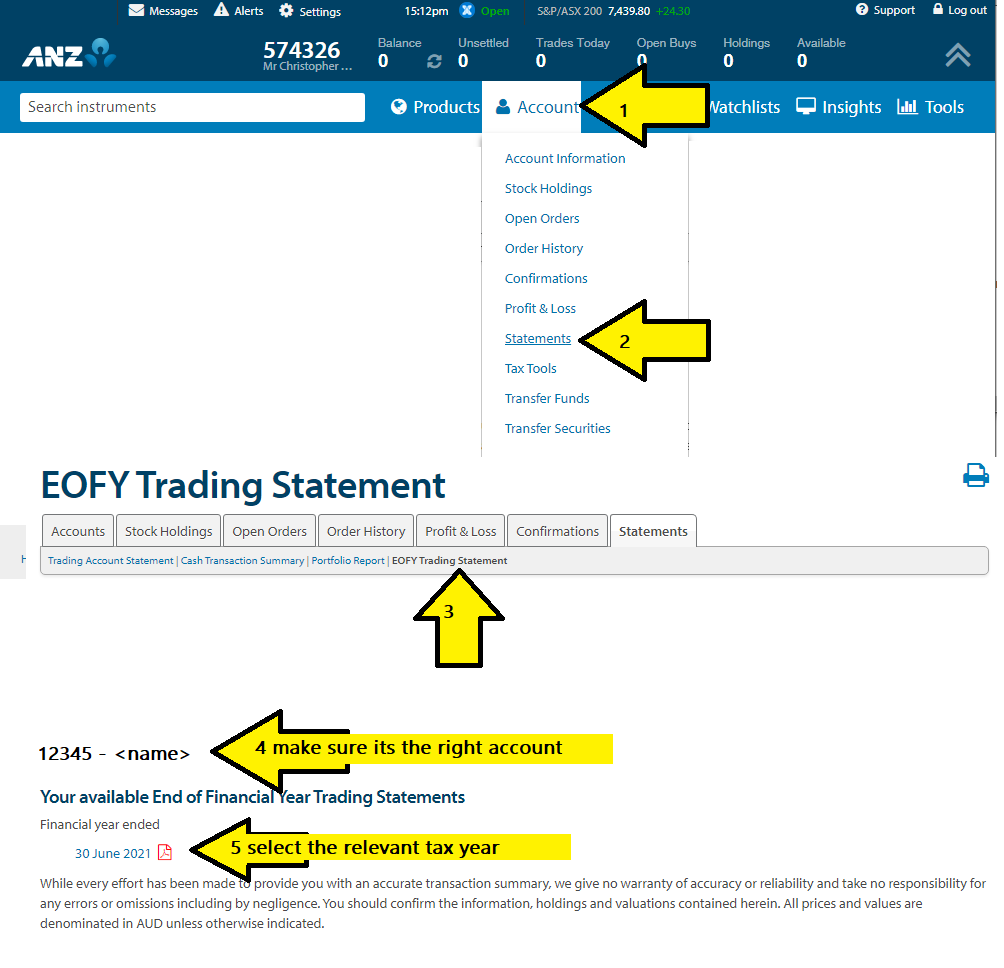
ANZ dividend income report
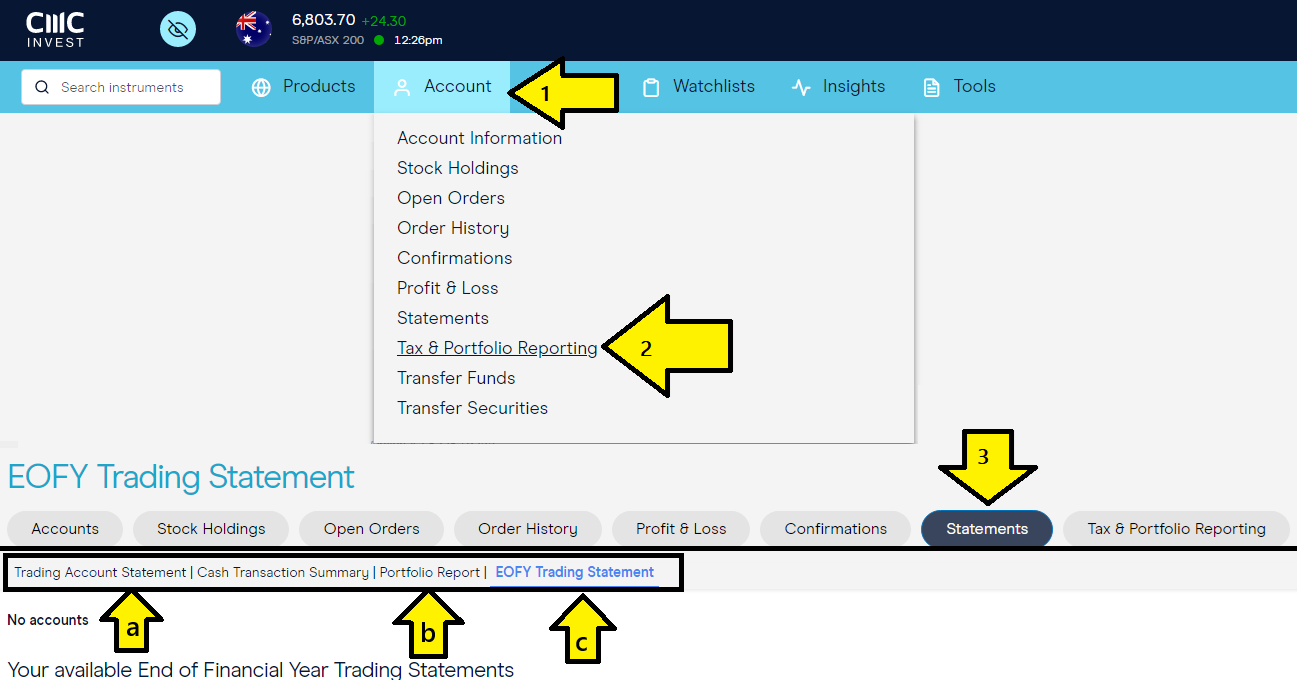
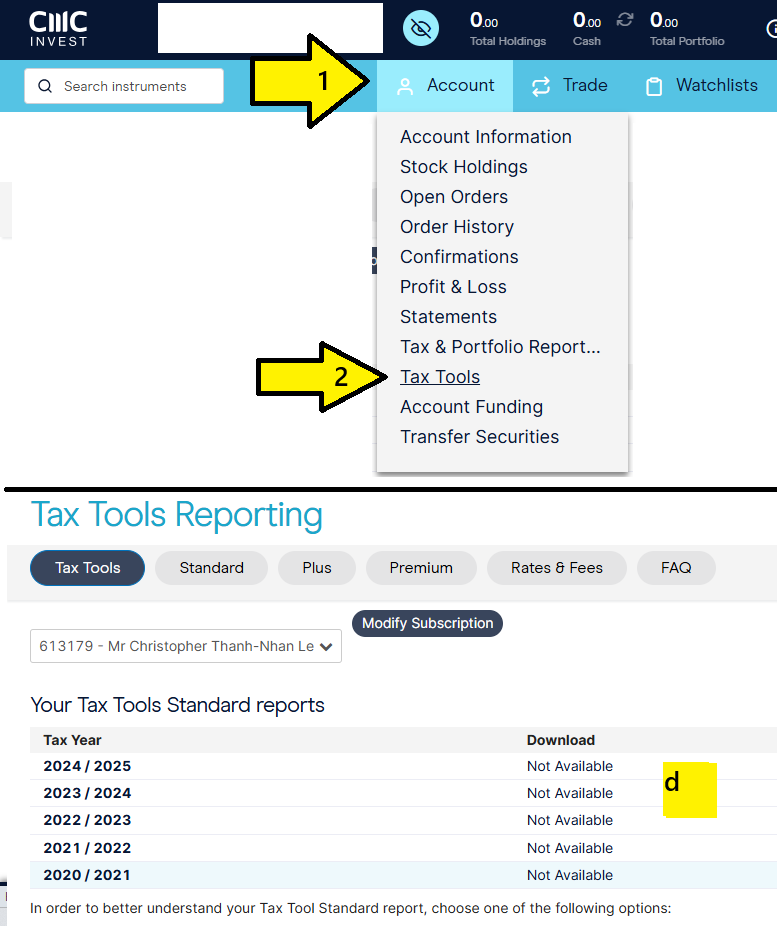
new ANZ CMC
A B C:
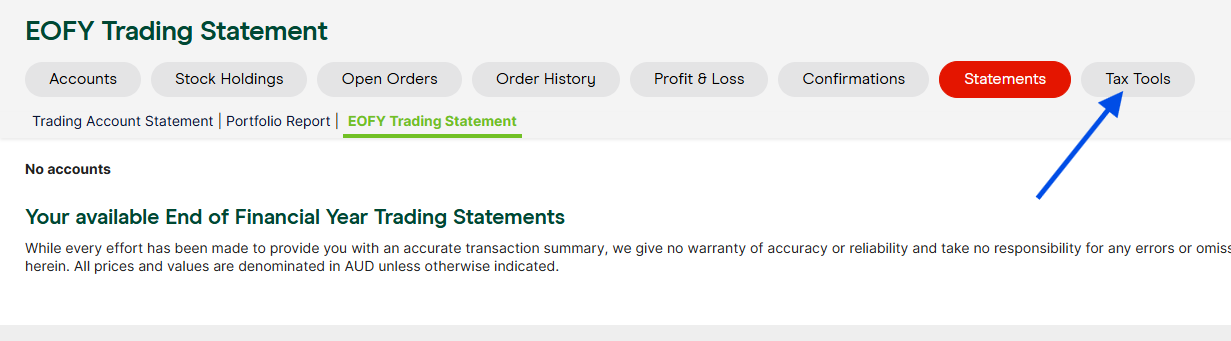
D Tax tool reporting
Westpac trading
NAB trading / NabTrade
SelfWealth / Self Wealth
CMC
get the following reports:
- trading account statement
- Portfolio report - especially if you own Mfunds/ETPs
- EOFY Trading statement
(see diagram below for A B C) - Tax tools reporting
A B C:
D Tax tool reporting
CMC requires you to register with CMC
Macquarie
wrap
go to VIEW REPORTING > RUN A REPORT FOR A SUPERANNUATION ACCOUNT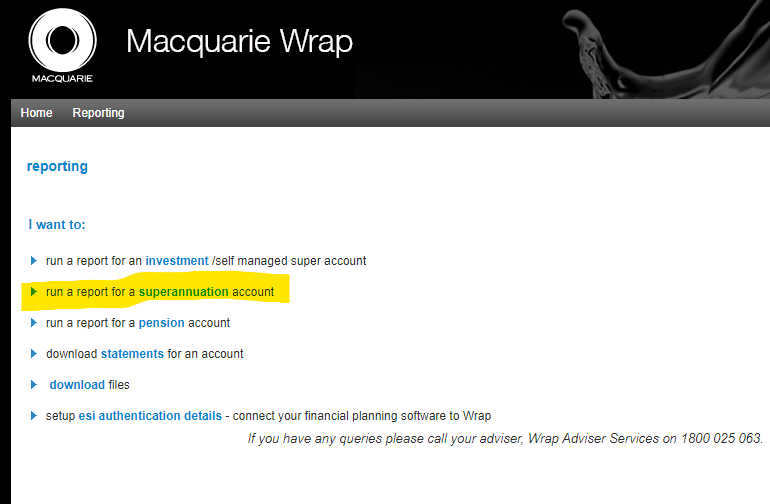
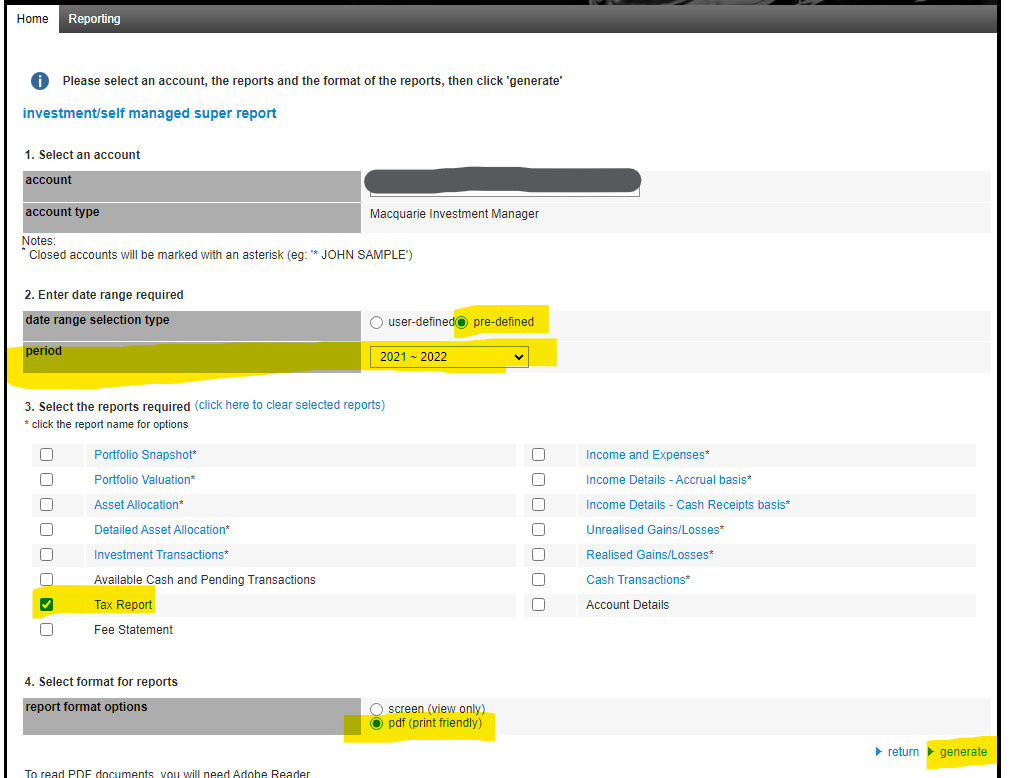
Normal account
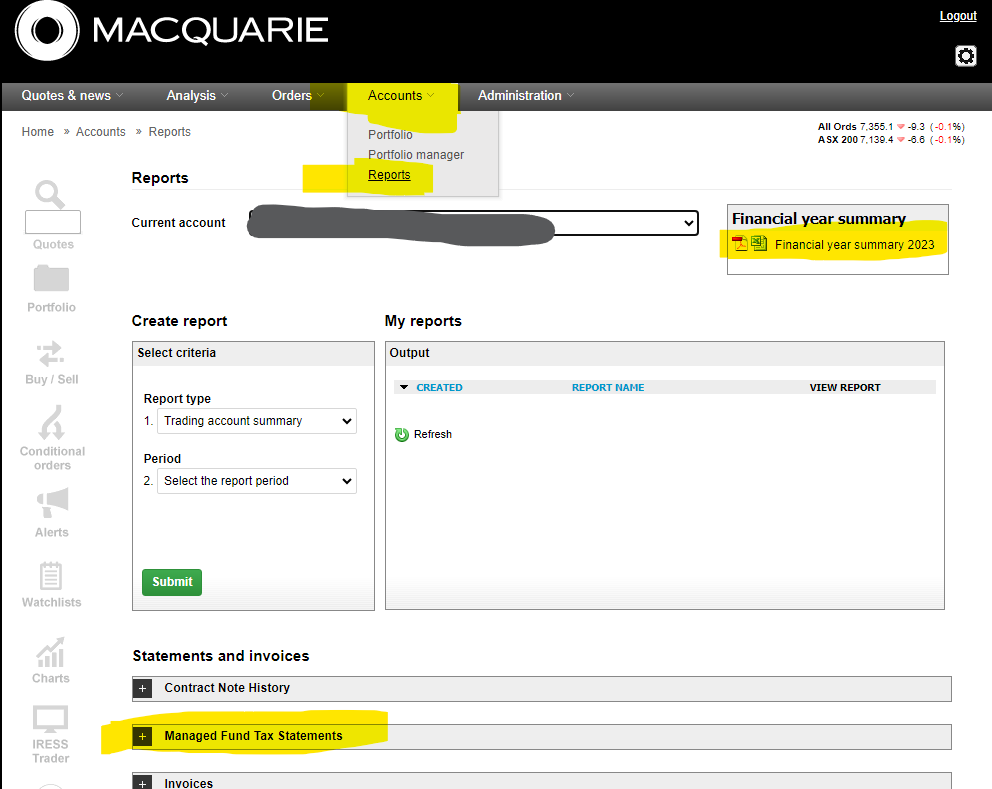
Accounts > REPORTS >
St George
you will need two reports: EOFY report and TAX TOOL reporting
go to
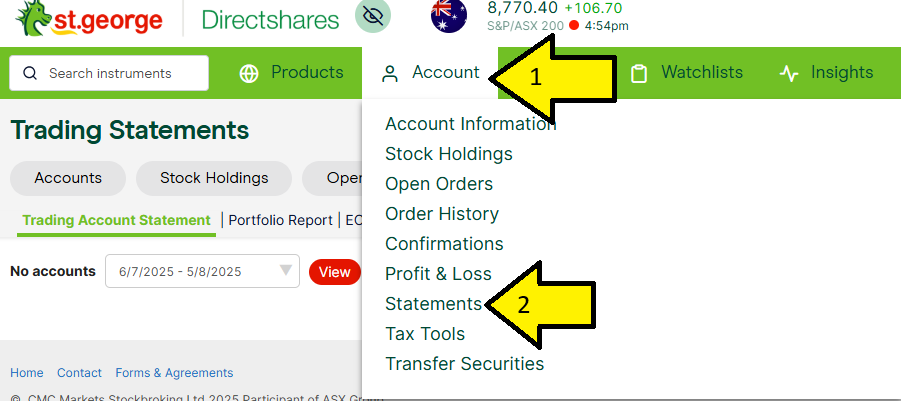
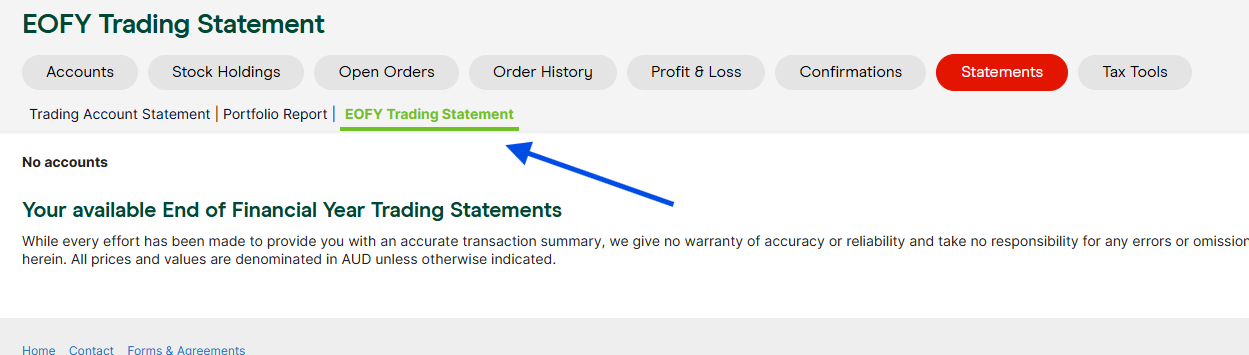
Then go to TAX TOOLS
Moomoo
https://www.moomoo.com/au/support/topic6_553
https://documents.au.moomoo.com/document/doc-detail once you login.
Stake
https://hellostake.com/au/support/documents-and-statements/taxes-and-forms/26012023135001
On the Stake App:
- Navigate to Manage.
- Select Account.
- Tap on 'Financial year reports'.
On the Stake Website:
- Hover your mouse over the menu icon in the top-right corner of the screen.
- Click on Overview.
- On the left-side menu, click on Tax & reporting > Financial year reports.